
The Carving Handbook: STL Setup Guide for CNC, 3D Print and Laser
· 8 sold this year
Very useful and informative guide for great CNC woodcarving.
- 📦 Instant digital download (STL file)
- 🛠️ Tested in Aspire, VCarve Pro, Carveco, ArtCAM, Fusion 360
- ♾ Unlimited re-downloads
- ✅ Personal & commercial-use licence: sell what you carve
"I love the artwork! Can't wait to engrave it!"
"The value of this purchase is amazing. They are all top quality. Easy downloads, works perfectly with the Vcarve software. Thank you so much!"
About this design
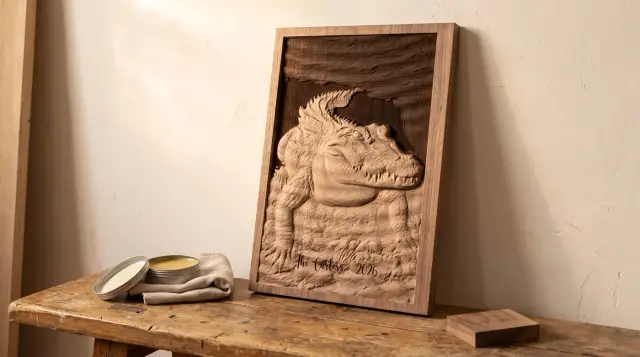
Have a laser too?
Burn this design, or burn onto it
Laser Studio opens this STL with zero conversion and turns them into a ready-to-burn 3D-illusion engrave. Carving on your CNC instead? CNC Match lines up a name, a date or shading on a photo of the finished piece, so the laser burns right onto the carving.
Windows desktop app · $40 once · free updates · it prepares the files, your laser software burns them
FREE, NO CATCH
Not ready to buy? Take five designs free.
Five full bas-relief STL files, the same quality as everything in the shop, sent straight to your inbox. No card, and you can unsubscribe whenever you like.
Complete the set
From the same collection — buy any 2+ designs and save an extra 10% (code SET10, shown in your cart).


Customer reviews & carves
★ 5.0 · 1 reviewVery useful and informative guide for great CNC woodcarving.