★ VERSION 2.9 · CNC MATCH, SHAPED BY YOUR FEEDBACK
Laser Studio
One app turns your photos, 3D models and even the night sky into ready-to-burn laser files. And now it burns straight onto the pieces you carved on your CNC.
Windows 10/11 · one-time purchase · no subscription · your photos are processed on your own PC
Laser Studio at a glance
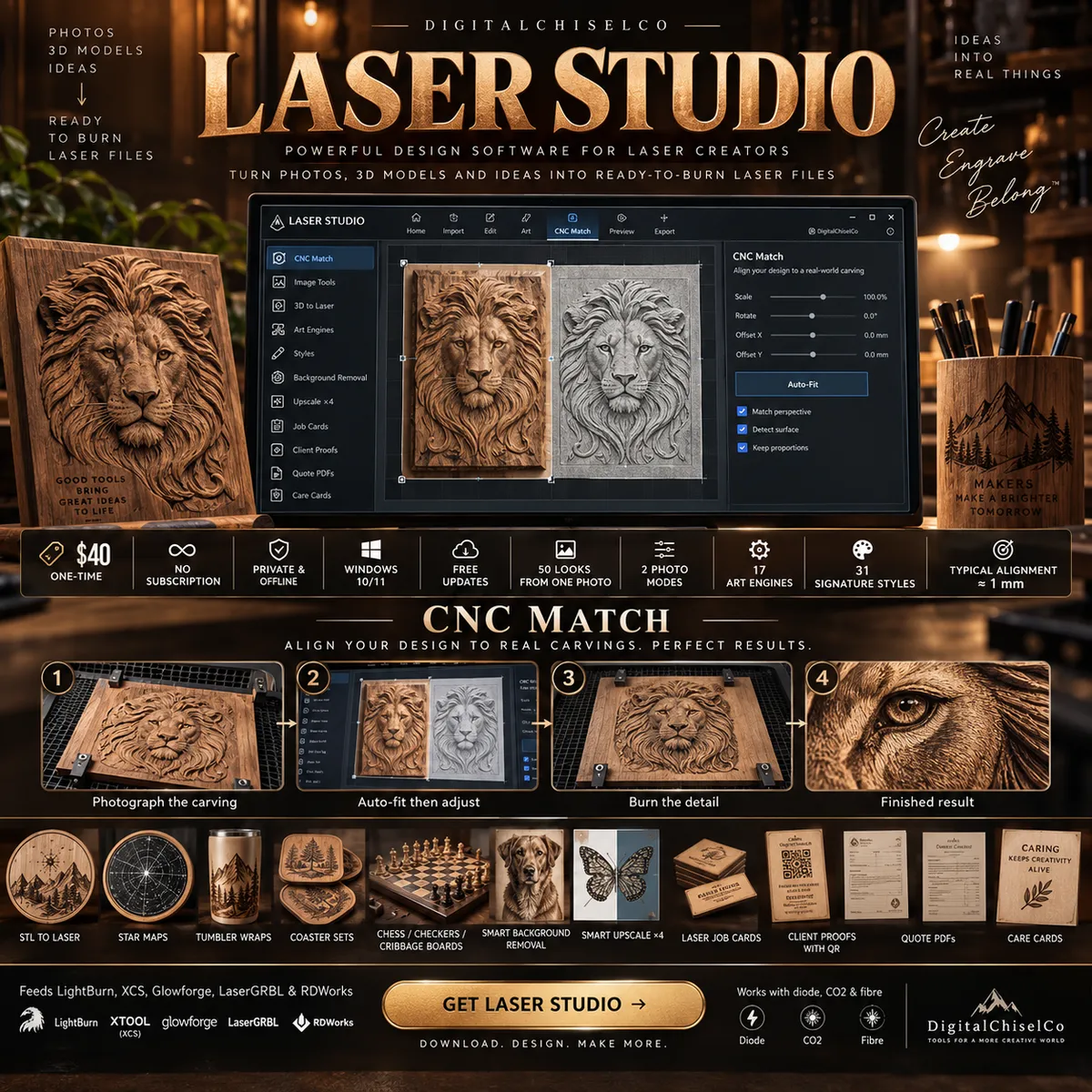
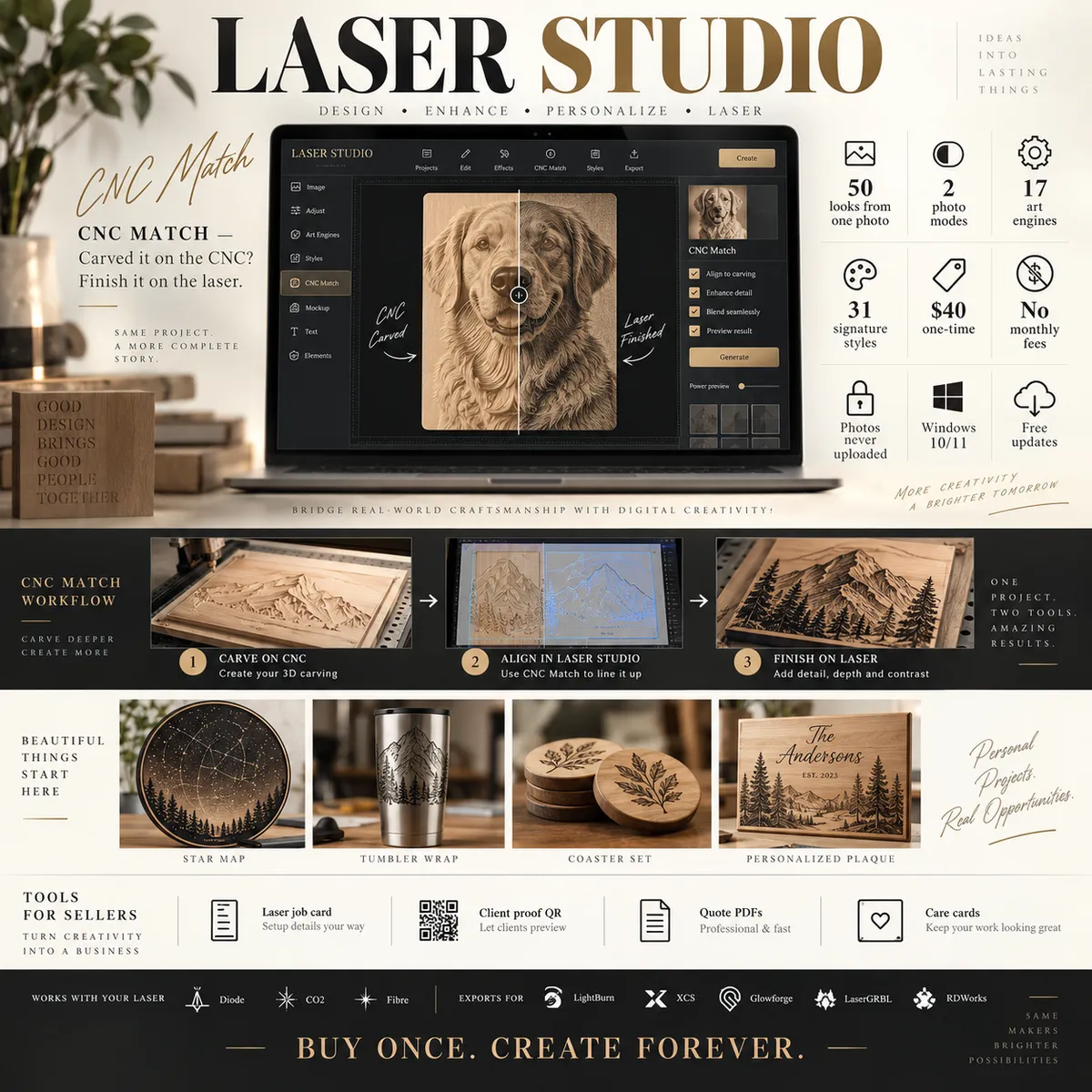
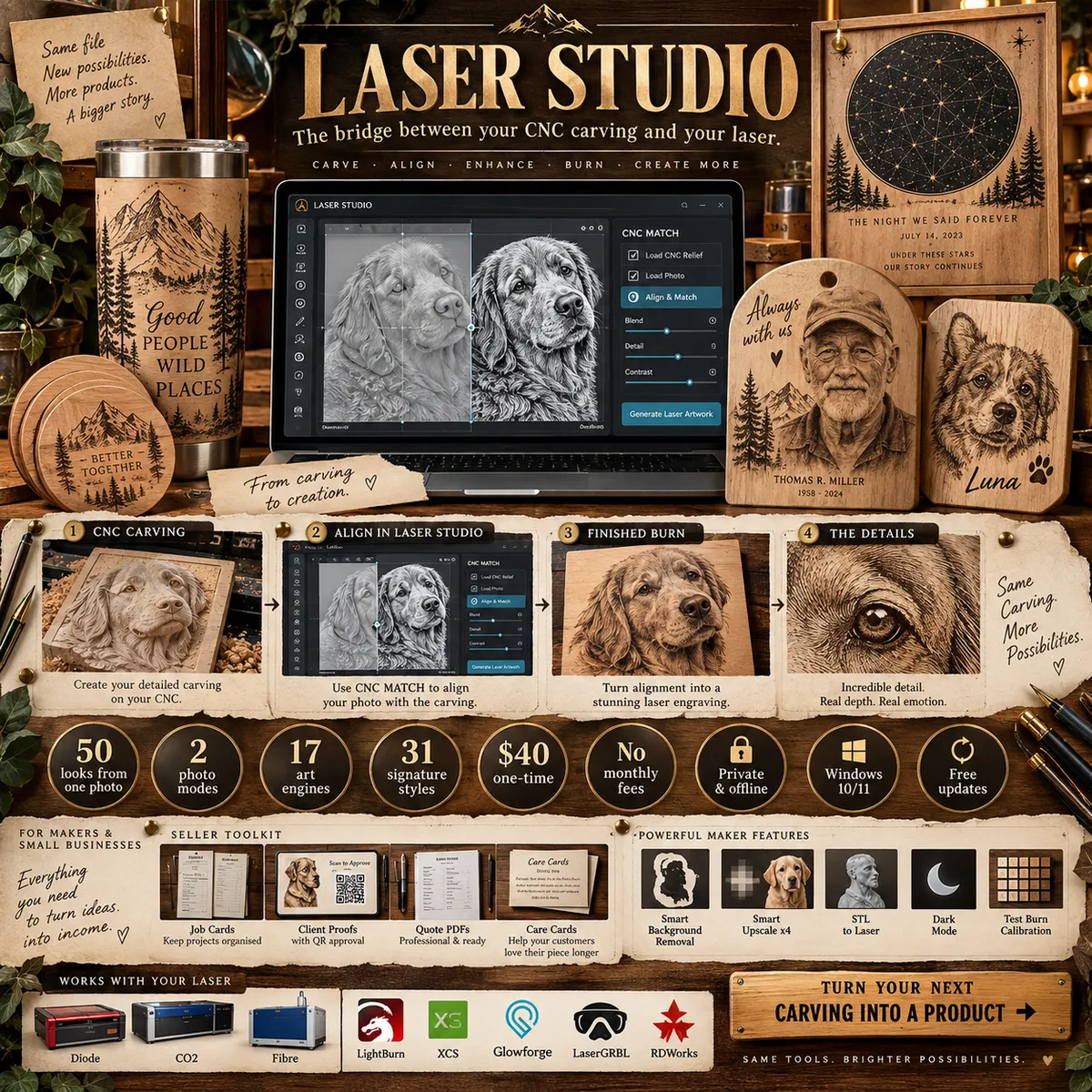
Overview posters. Tap one to see it full size.
CNC MATCH · NOW WITH AUTO-FIT
Carved it on the CNC?
Finish it on the laser.
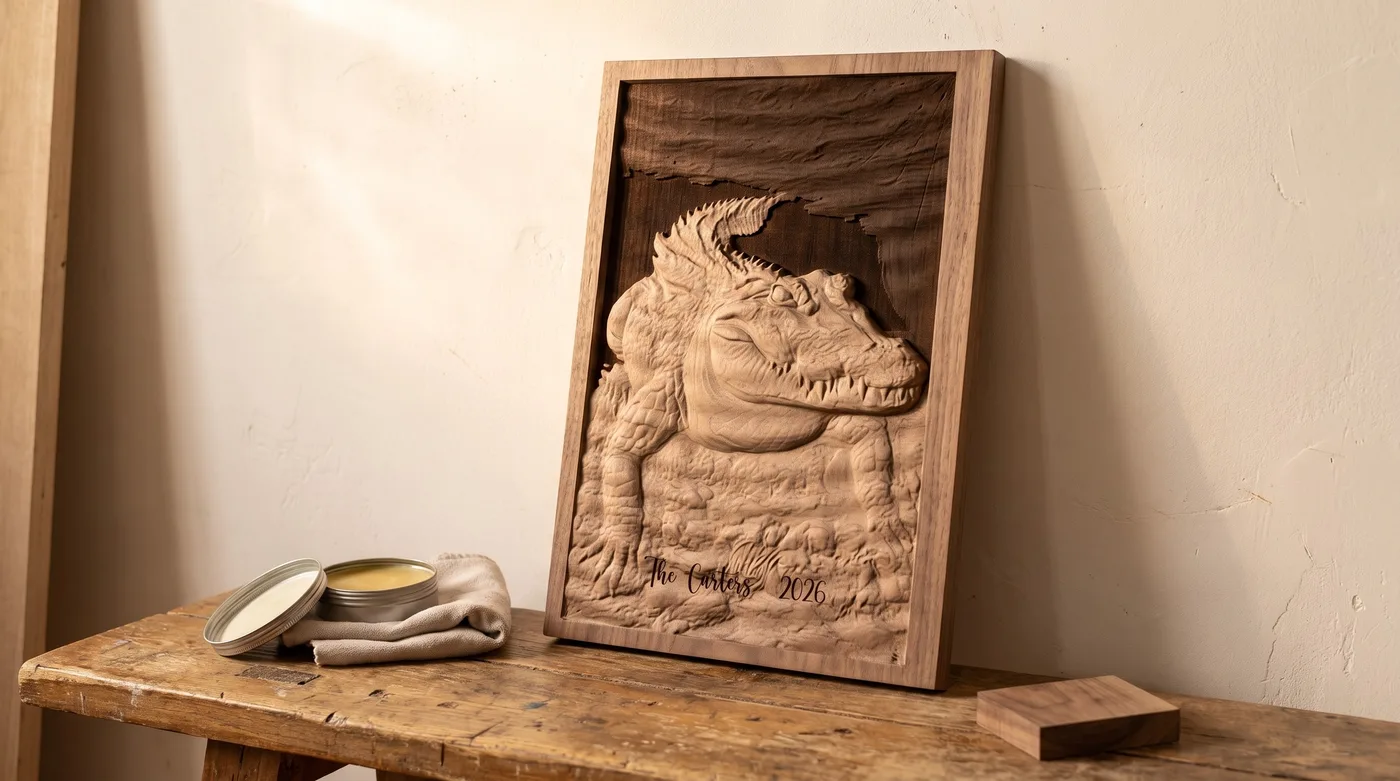
Carved one of our STLs on your CNC? Put it on the laser and burn text, shading or the same picture right onto the carving. A name and a date under a pet portrait, a darkened background that makes the relief jump, a scorched edge on the raised tops: the finishing touches that turn a carving into a gift.
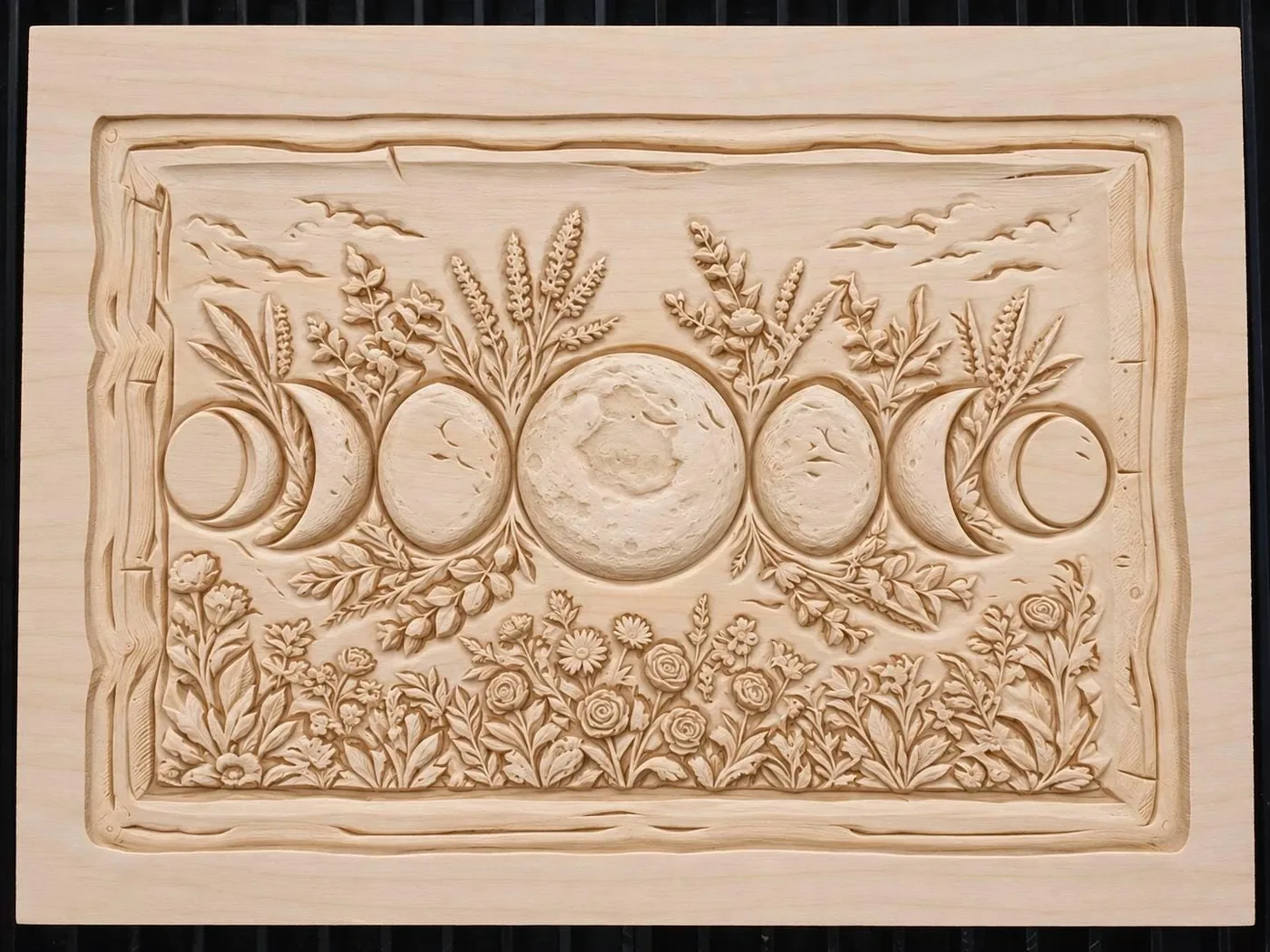
1. The carved piece, on his laser bed
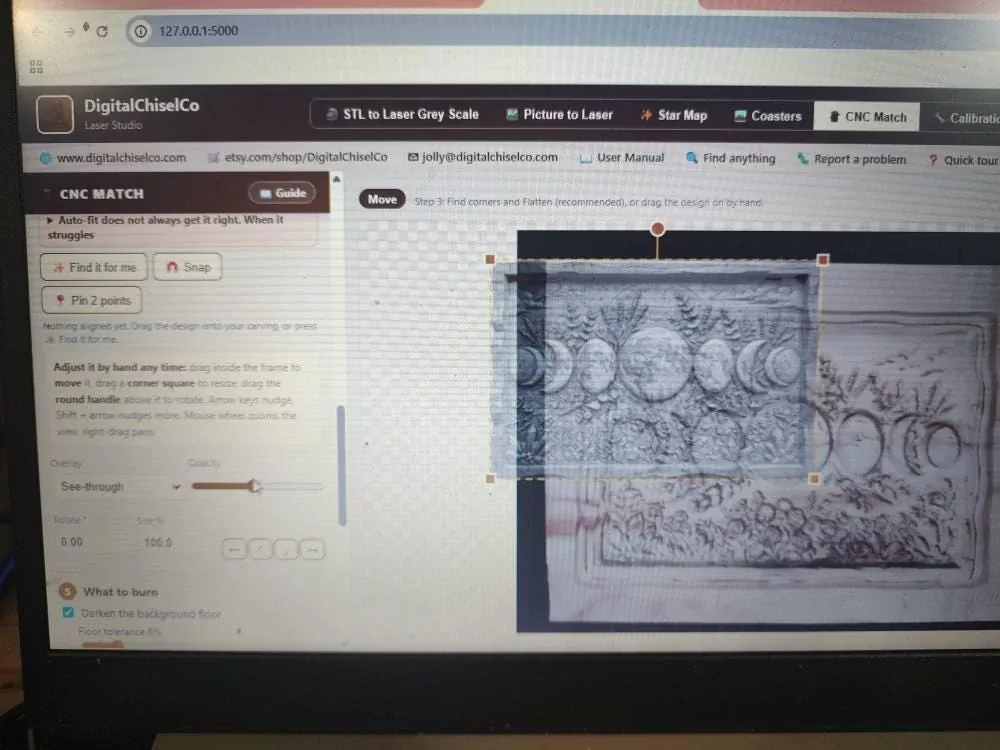
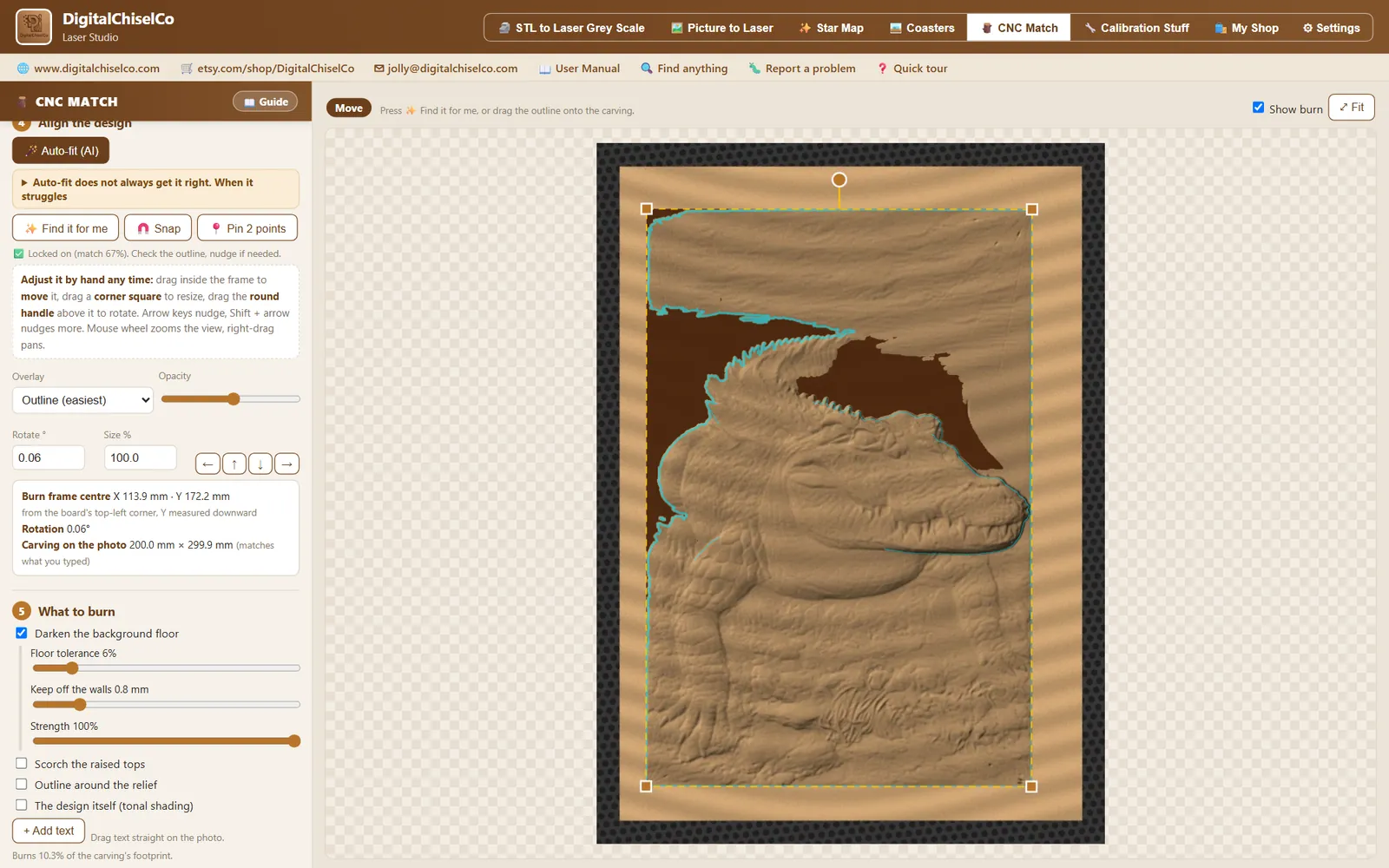
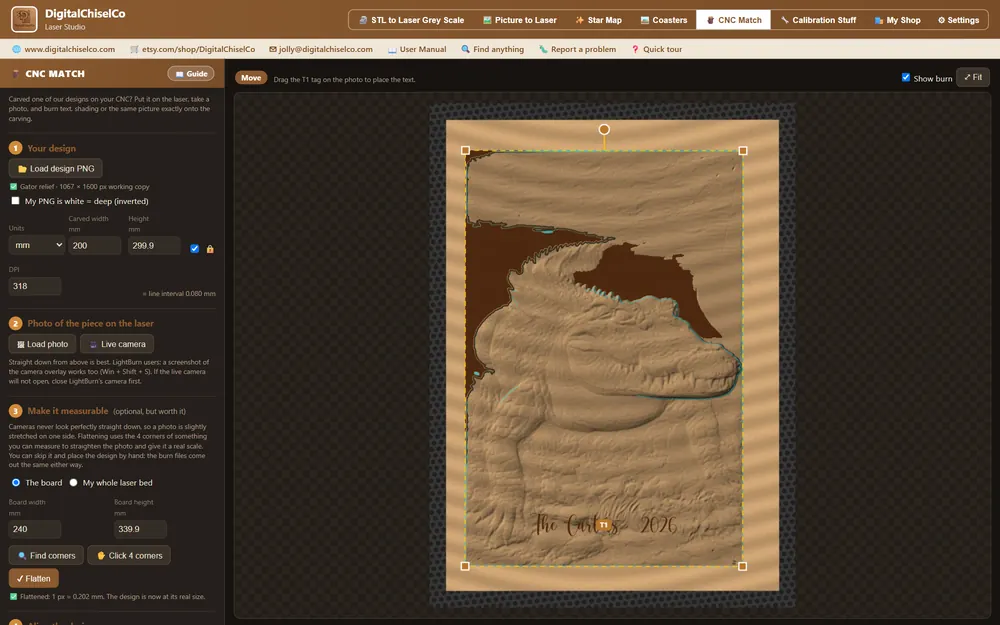
2. Lining it up in CNC Match
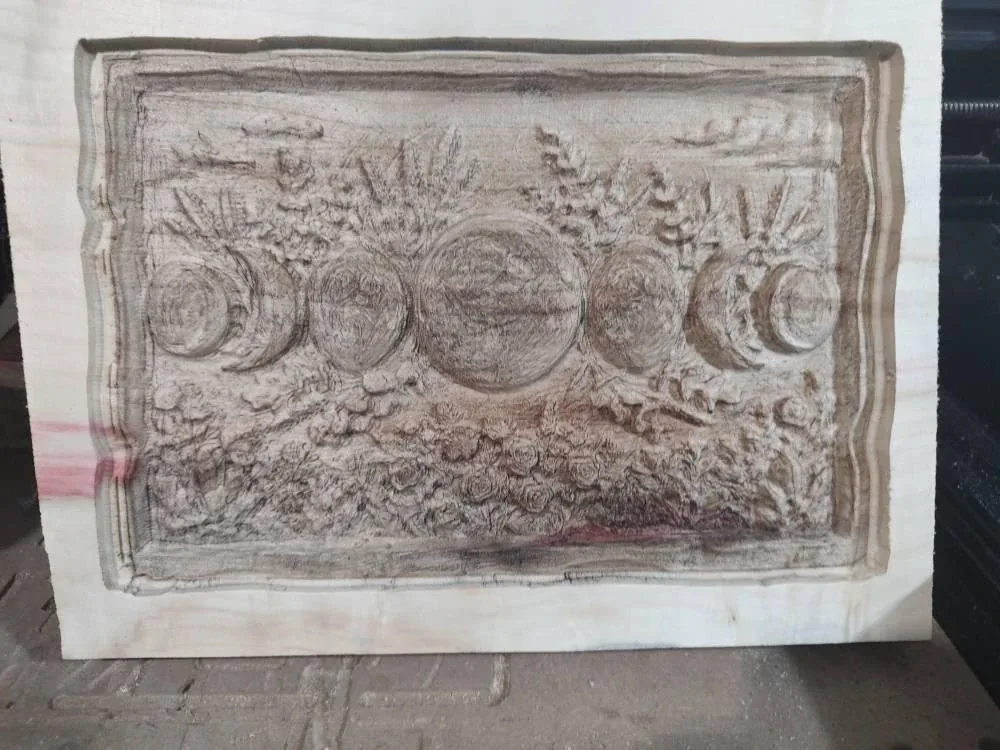
3. Off the laser, finished
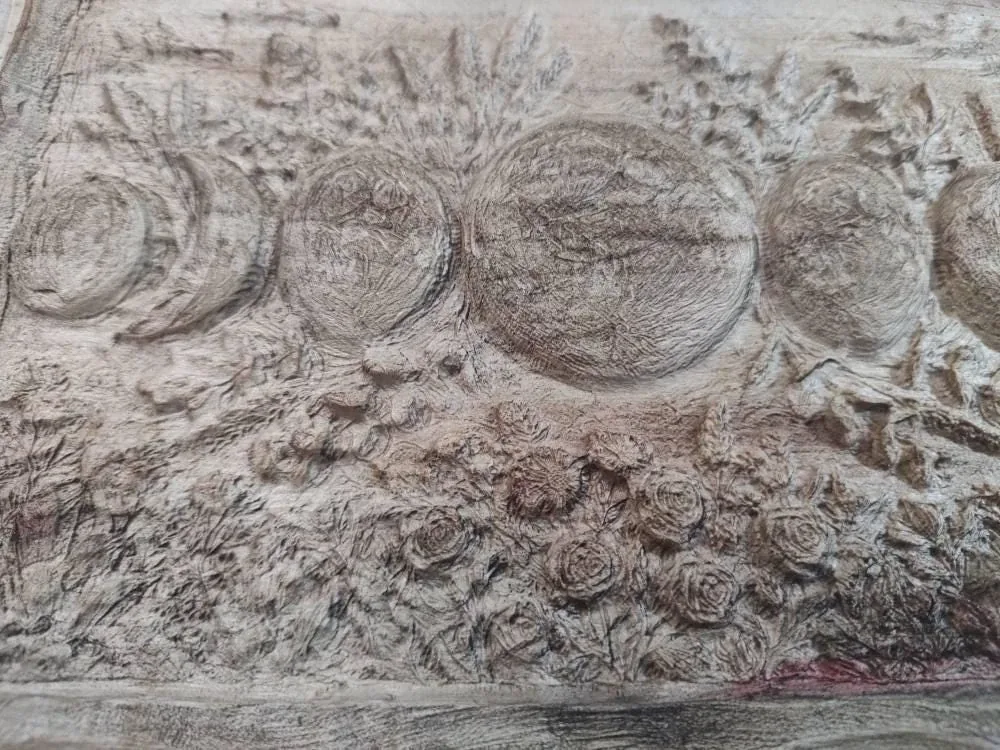
4. Close up of the burn
Carved, aligned and burned by Almost Forgotten, a Laser Studio customer, and shared with his permission. Real photographs, not renders.
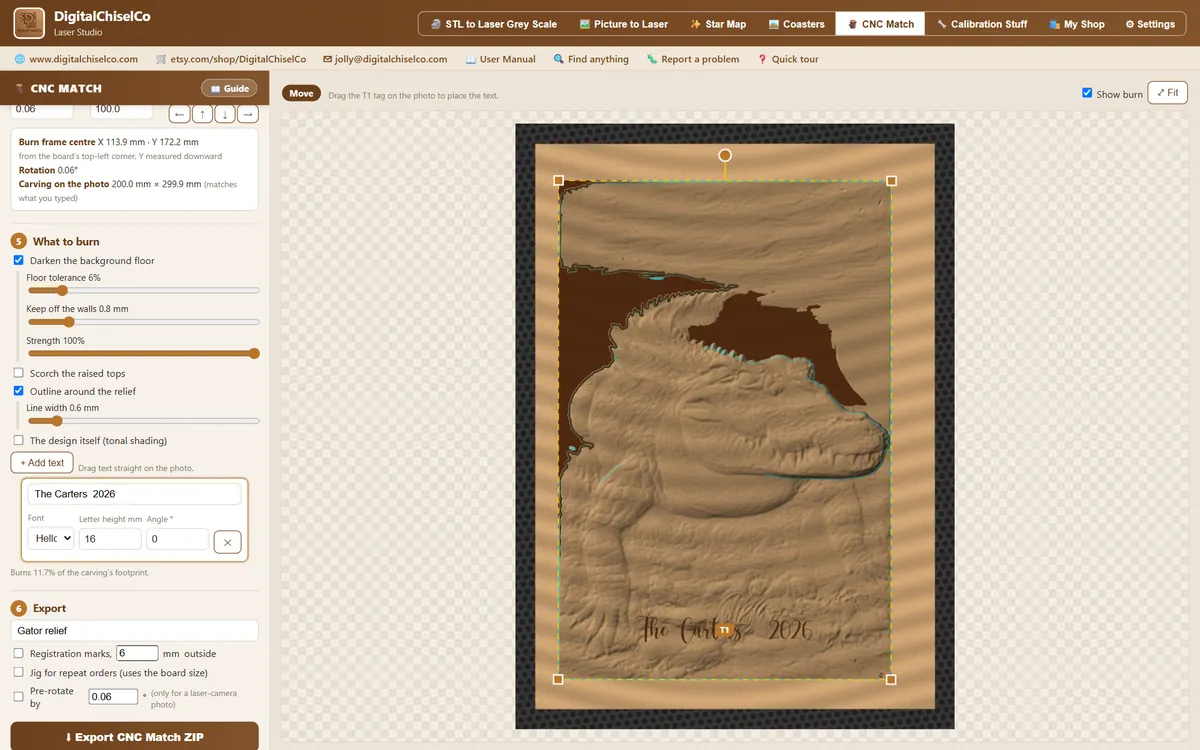
- 1
Load the design
The greyscale file of the relief you carved.
- 2
Photograph the piece on the laser
Straight down, or a screenshot of the laser camera view.
- 3
Make it measurable
Find the board corners and flatten the photo to true size, in millimetres or inches.
- 4
Auto-fit, then adjust
The built-in AI finds your piece in the photo and drops the design onto it, offline, and tells you how sure it is. Drag to move, corners to resize, the round handle to rotate.
- 5
Choose what to burn
Darken the background floor, scorch the raised tops, outline the relief, tonal shading of the design itself, or your own text.
- 6
Export for LightBurn
Burn files plus alignment helpers, sorted in one ZIP.
WHAT YOU GET
Files LightBurn understands,
and help lining them up.
- ✓ Burn files in greyscale and three dithered versions, at the carving's real size
- ✓ A "ghost" outline file for lining the burn up in your laser's camera view
- ✓ Optional registration marks for LightBurn Print and Cut
- ✓ Optional jig file, so repeat orders drop straight into place
- ✓ A saved preset to reload the same job later
Auto-fit is a starting guess, not a promise: a clamp, a bright offcut, a sheet of paper or a hand in the shot can fool it, and square pieces sometimes land a quarter turn out. It says how sure it is, and you can nudge it by hand. Alignment is typically within about a millimetre. Always check the outline and test on scrap before burning the finished piece.
Our STL files, then our laser software: one finished piece.
CNC Match was built for the 2,800+ bas-relief STL files in our shop. Carve the relief, then personalise every piece on the laser, for weddings, memorials, pets and shop signs.
WHY IT MATTERS
A game changer
for the laser market
Laser makers today juggle a photo-prep website, a dithering tool, a star-map generator, a background remover, a quoting spreadsheet and a settings forum, plus a subscription or two. Laser Studio puts the whole stack in one desktop app.
50 looks from one photo
Engrave, 3D illusion, pencil sketch, stipple, word portrait, string art, maze, and 31 Signature art styles from banknote engraving to Celtic weave. The same customer photo becomes a whole range of sellable products.
Private. Owned. Yours.
Your customers' photos are processed on your own PC and never uploaded. No monthly fee. The internet is only used to check for updates, to download optional AI models once, and when you open our shop pages.
Your settings, from your test burn
The number one question in laser forums is "what power and speed do I use?" Burn the built-in test grid on your own material, and Laser Studio helps you read off the setting that looks best on your machine.
Whole product categories in a click
Real star maps for any date and place, coaster sets with cut lines, tumbler wraps at true circumference, chess, checkers and cribbage boards: each one a finished product, not just an image.
Diode AND CO2, first-class
Every export is one organised ZIP: 1-bit dithers for diode lasers, greyscale and 16-bit depth for CO2, fibre and galvo, and real-millimetre SVG cut lines, with a read-me that says which folder your laser needs.
Built for sellers
A Laser Job Card with your own logo, client proofs, quote PDFs and care cards: the paperwork of a small laser business, done in the same app that made the file.
THE ART ENGINES
One photo. Fifty finished looks.
Click a style and watch the preview change; its own sliders appear right below. Pin your favourites to the top. Nine of the fifty below, all made from the same carving.
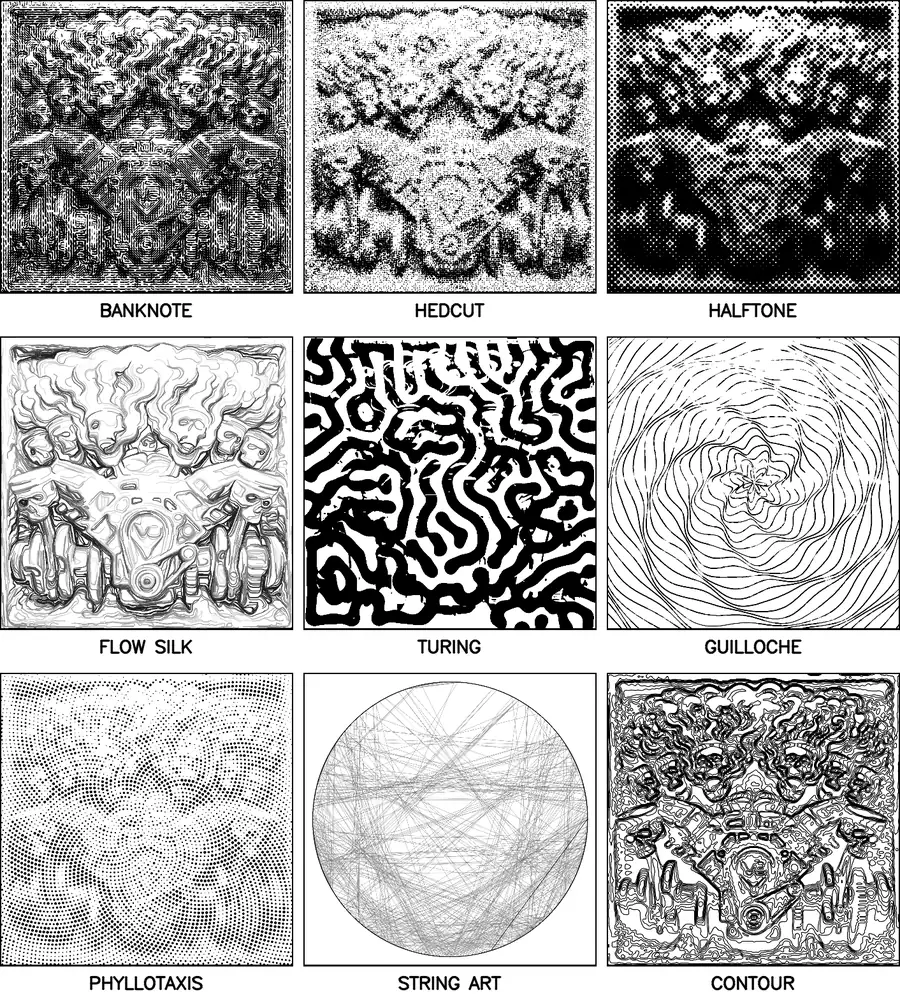
2 Photo
Engrave photo, 3D illusion
17 Art engines
Pencil sketch, stipple, word portrait, spiral, string art, crosshatch, halftone, mosaic, one-line scribble, flow silk, maze and more
31 Signature art styles
Banknote engraving, hedcut, embroidery stitch, charcoal, Turing patterns, Lichtenberg branches, guilloché rosettes, Celtic weave, circuit board, marbling, double exposure and more
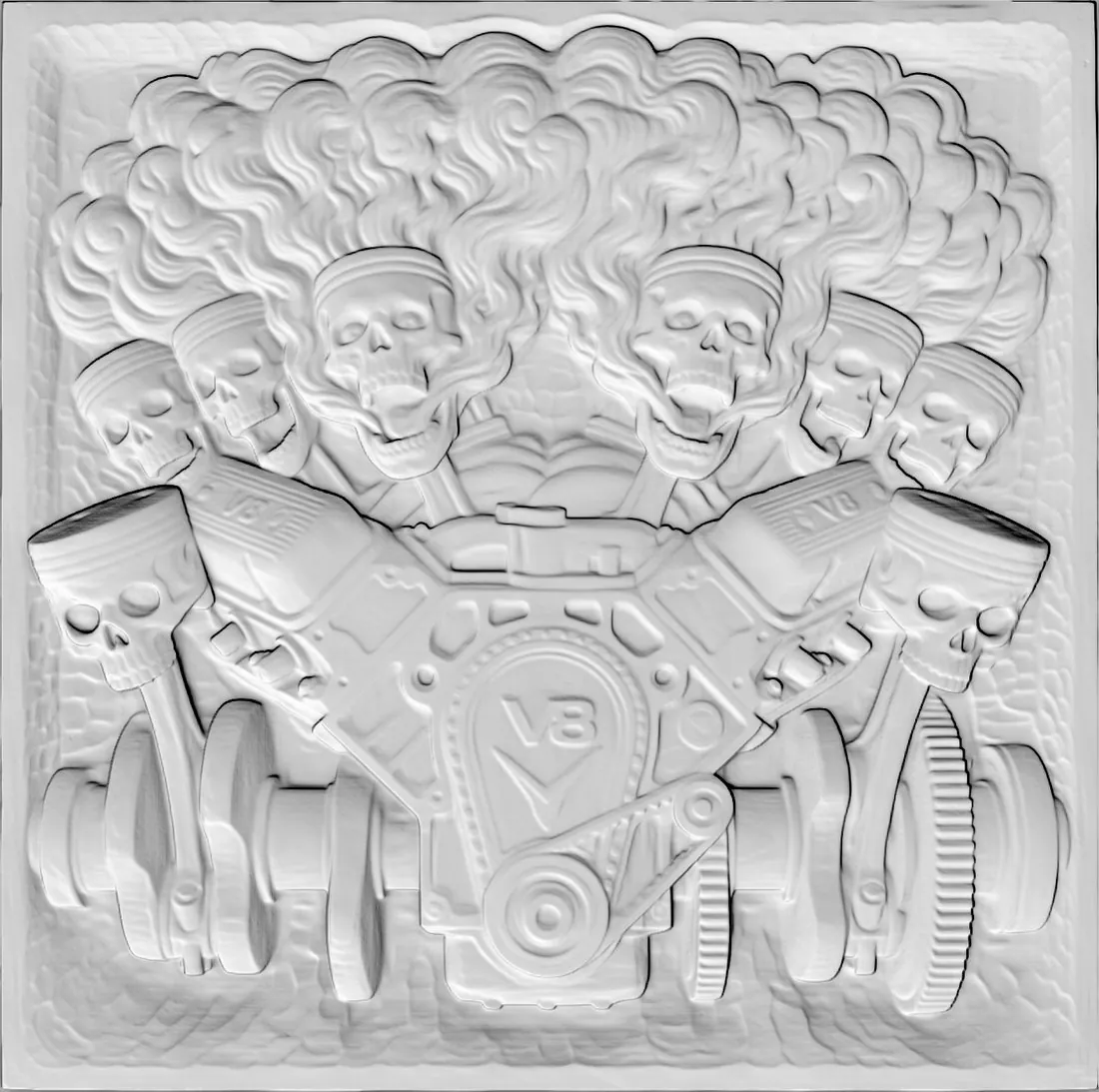
STL TO LASER GREY SCALE
Drop an STL.
Get a carving.
The 3D-illusion engine relights any STL model as a hand-carved piece: swing the light around it, dial the depth, boost the detail. Exports flat single-pass engraves for any laser and true 16-bit depth maps for real 3D carving.
It pairs perfectly with our 2,800+ bas-relief STL files, with zero conversion needed.
THE STAR MAP ENGINE
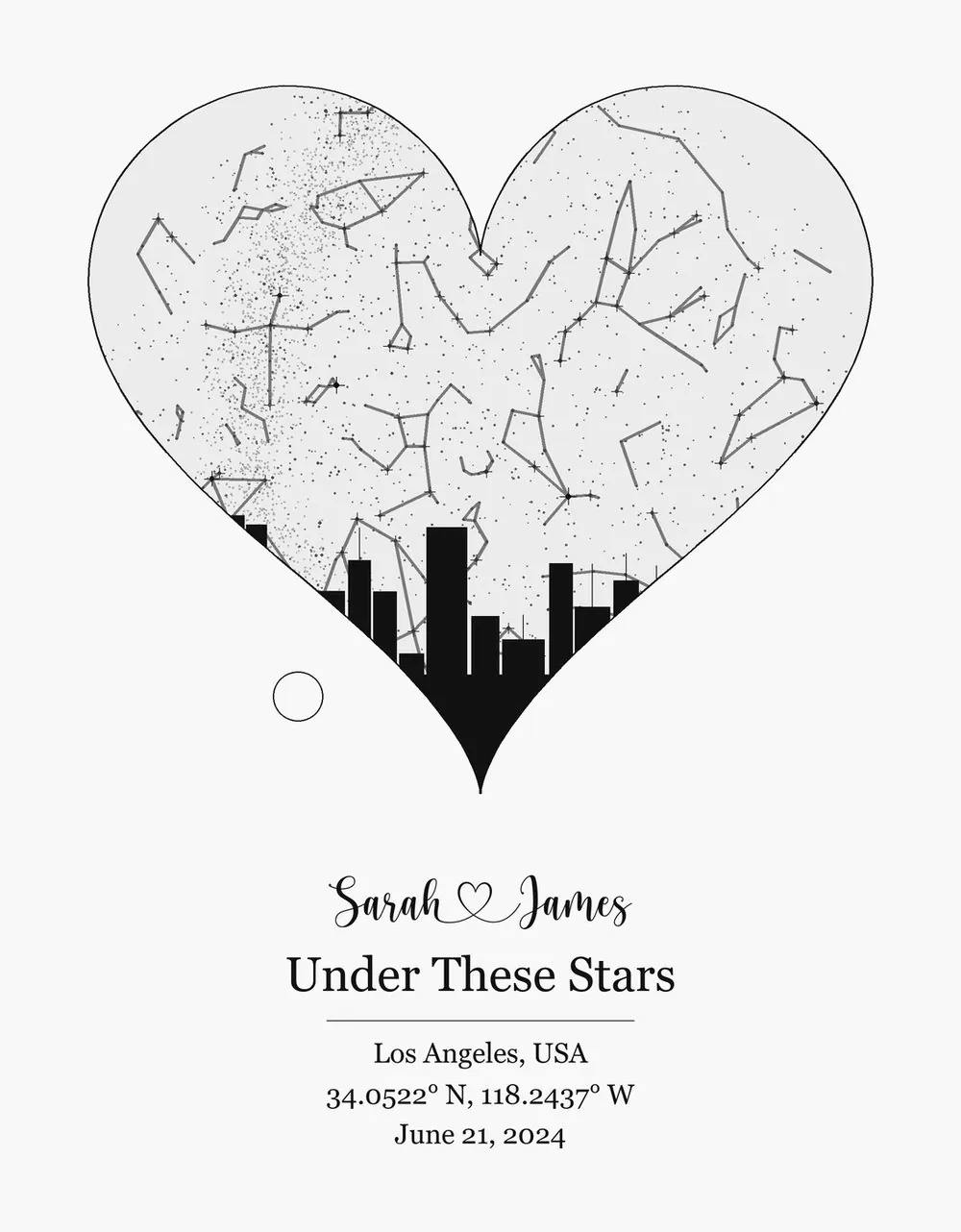
The sky,
that night.
Astronomically real stars, the Moon at its true phase, the planets that were up, over any place and moment on Earth. Heart-shaped skies, "where we met" street-map combos, a song's soundwave ringing the sky with a QR that plays it.
Weddings, births, first dates, memorials: engrave it, or print it in colour and frame it.
BEYOND IMAGES
Product makers, built in
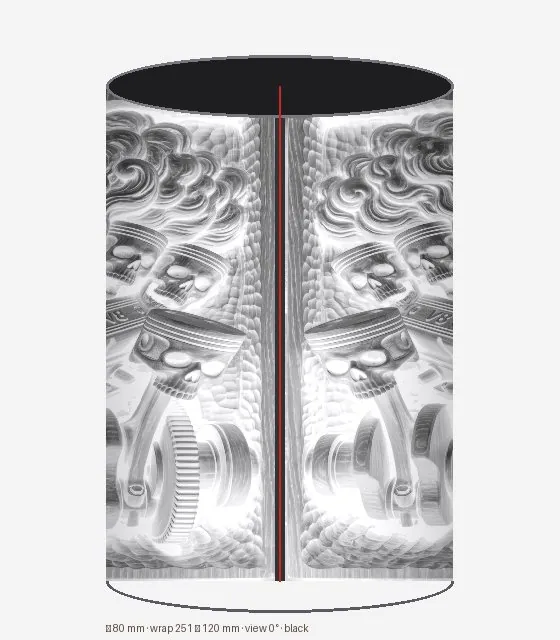
True-circumference wraps with a spinnable 3D preview.
Round, square, rounded or hex, a live preview, matching sets of up to eight, and cut lines with kerf built in.
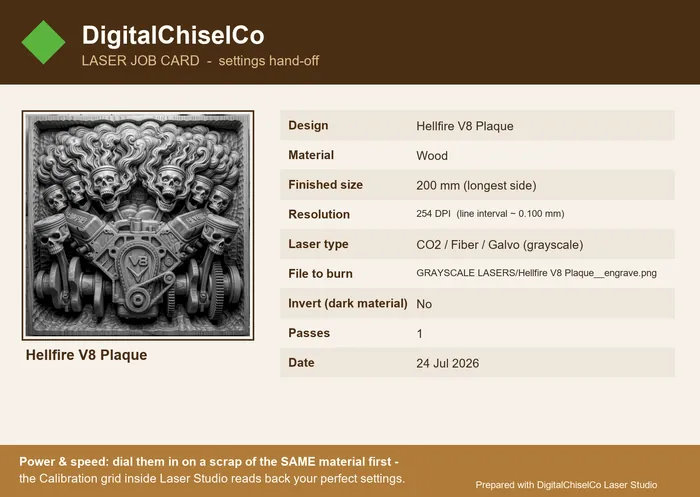
Your logo, the design and every setting on one page for the shop wall.
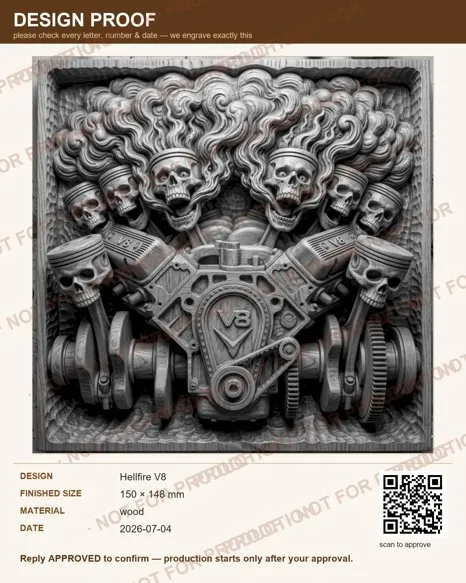
Watermarked client proofs, with an optional scan-to-approve QR.
Photo tools
- ✓Smart background removal, with a touch-up brush to add back or erase
- ✓Region tools on the canvas: frame, keep, cut and lasso
- ✓Smart Upscale ×4 rescues small phone photos
- ✓Chess, checkers and cribbage boards, ready to engrave
Seller kit
- ✓Laser Job Card with your own logo and shop name
- ✓Client proof with an optional scan-to-approve QR
- ✓Branded quote PDF for every job
- ✓Care cards to slip in with each order
Comfortable to use
- ✓Save and reopen whole projects
- ✓Undo and redo, rulers on the artboard
- ✓Ctrl+K command palette: find any tool by name
- ✓Dark mode, and menus in English, Español, Deutsch and Français
Works with the laser you already own
Machines
- ✓ Diode / blue-light: xTool D1, Ortur, Sculpfun, Atomstack & similar
- ✓ CO2: K40, OMTech, Glowforge & other CO2 machines
- ✓ Fibre & galvo markers
Software it feeds
- ✓ LightBurn: greyscale, dither & 16-bit depth workflows, camera and Print and Cut alignment
- ✓ xTool Creative Space (XCS) · Glowforge app
- ✓ LaserGRBL · RDWorks / LaserWORKS
Laser Studio creates the design files; your laser software fires the beam. Power and speed depend on your machine and material, so you dial them in with the built-in test grid on your laser.
The plain facts
- ✓ Windows 10 / 11 only, 64-bit. No Mac or Linux version
- ✓ One-time purchase, no subscription
- ✓ Photos processed on your PC, never uploaded
- ✓ Illustrated user manual and CNC Match Guide built in
- ✓ Free updates, with a notice when a new version is out
- ✓ Every export sorted for diode, CO2 & vector
- ✓ Seven workspaces, from STL to your shop paperwork
- ✓ Made by the studio behind 2,800+ STL designs
New in 2.9
- ✓ CNC Match asks which laser software you use (LightBurn with or without a camera, WeCreat and others), and the export’s read-me opens with the steps for that one.
- ✓ The guide has a chapter on using a WeCreat laser, based on WeCreat’s own published LightBurn setup. We have not tested it on a WeCreat ourselves.
New in 2.8
- ✓ The blue edge bars now stretch width or height on their own, so a design can be squeezed or elongated to match a carving that is not quite in proportion. The brown corner squares still resize evenly.
- ✓ See-through is the default overlay and remembers the opacity you chose.
- ✓ The built-in guide has a new chapter: a real customer job, carved on a CNC and then burned on the laser, in photographs.
Questions people ask
Will it run on a Mac?
No. Laser Studio is a Windows 10 and 11 application, 64-bit, and there is no Mac or Linux build. It needs about 1.2 GB of free disk space after installing.
Is it a subscription?
No. It is a one-time purchase and updates are free. When a new version is out the app shows a banner, and every customer on version 2.0 or later gets the notice.
Does it need an internet connection?
Not for the work itself. Your photos and files are processed on your own PC and are never uploaded. It reaches out twice only: to check for an update, and once to download the 5 MB upscaler model.
Does it control my laser?
No, and it is worth being clear about this. Laser Studio prepares the files. You burn them with your own machine software, such as LightBurn, xTool Creative Space, LaserGRBL, WeCreat or RDWorks. It never drives the laser itself.
How accurate is CNC Match?
Alignment is typically within about a millimetre. Auto-fit is a starting guess that tells you how confident it is, not a guarantee: a clamp, a bright offcut or a hand in the photograph can fool it. Always check the outline and test on scrap before burning the finished piece.
What settings should I use for my machine?
Yours, and the app helps you find them. Every laser and every material behaves differently, so we do not publish power and speed numbers as if they were tested on your machine. The calibration workspace prints a power and speed grid, a focus ramp and a kerf comb so you can measure your own.
Turn your next photo, or your next carving, into a product tonight.
Laser Studio is available now from our shop, and every DigitalChiselCo STL file works in it with zero conversion.